You can generate a report based on the type of user you are:
For Agents (logged in via Bayut or Profolio™):
Access TruEstimate™ from the Bayut Homepage under Market Intelligence or via the TruEstimate™ landing page at https://www.bayut.com/tru-estimate/
Step 1: Select the purpose
Click on the ‘Sale’ purpose.
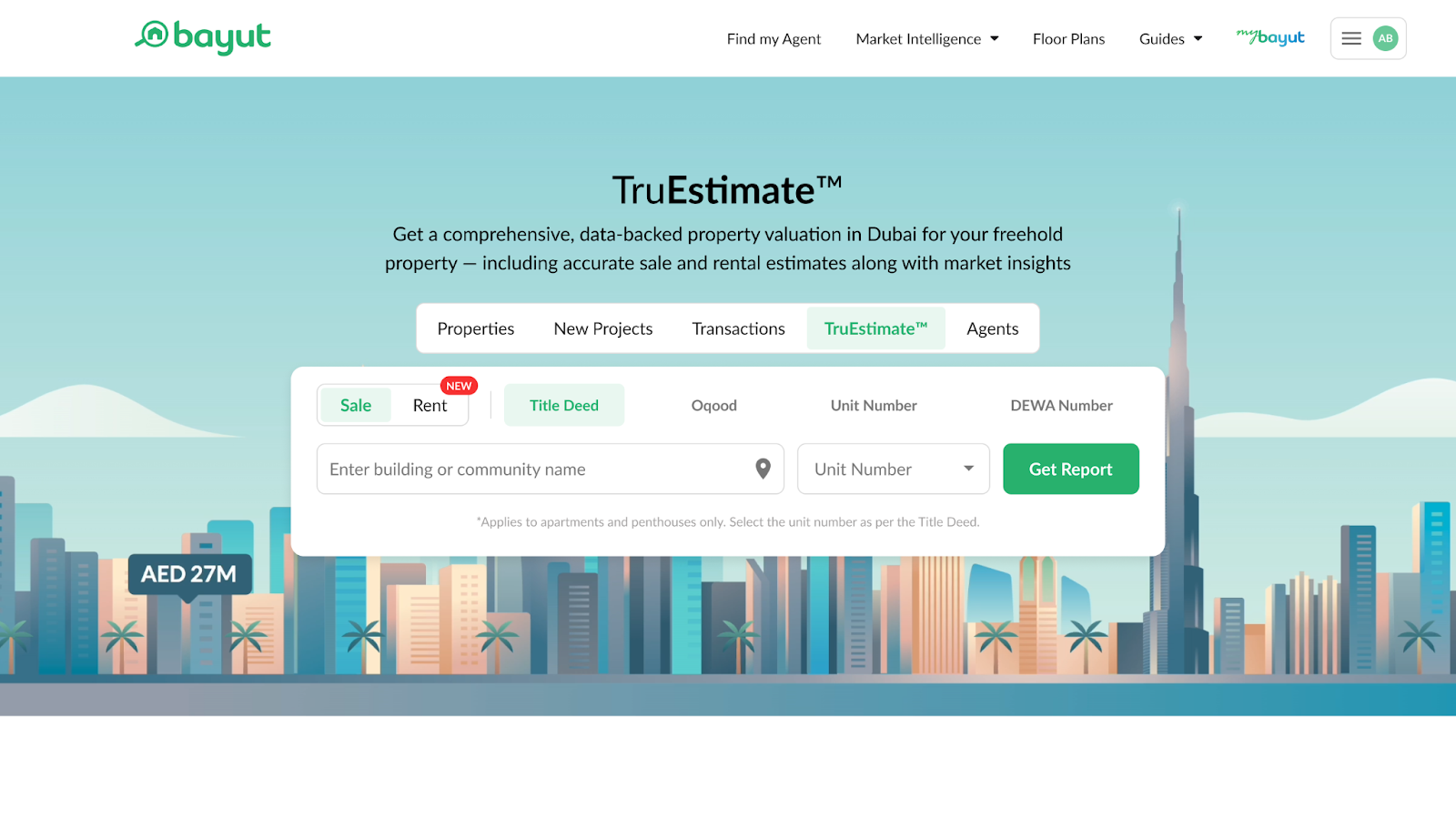
Step 2: Search for the Property
Enter the property details using one of the following methods:
- Title Deed: Enter the Title Deed number and year, along with the property type (land, apartment/flat, villa).
- Oqood: Enter the Oqood Contract number and year, along with the property type (land, apartment/flat, villa).
- Unit Number: Choose your location and enter the unit number.
- DEWA Number: Enter the 9-digit DEWA premise number.
Step 3: Confirm Property Details
After submitting the property details, you will be prompted to edit and verify essential information of the property that the data has been fetched for, such as the number of bedrooms, built-up area, mortgage status, and more.
These details would vary depending on whether the property is ready or off-plan, and whether the property type is apartment, villa, or land.
Step 4: Receive Your TruEstimate™ Report
If logged in, agents will be instantly redirected to the TruEstimate™ report, which includes:
- Estimated Property Valuation: Get an accurate market value of the property.
- Rental Yield: Understand the potential rental income (factoring in rental prices and service charges).
- Property History: Review historical data of the property with rental and sales history.
Agents will also receive the generated report’s link via email automatically after creation.
For Property Seekers, Buyers, Sellers, or Investors:
Step 1: Select the purpose
Click on the ‘Sale’ purpose.
Step 2: Search for the Property
Enter the property details using one of the following methods:
- Title Deed: Enter the Title Deed number and year, along with the property type (land, apartment/flat, villa).
- Oqood: Enter the Oqood Contract number and year, along with the property type (land, apartment/flat, villa).
- Unit Number: Choose your location and enter the unit number.
- DEWA Number: Enter the 9-digit DEWA premise number.
Step 3: Confirm Property Details
After submitting the property details, you will be prompted to edit and verify essential information of the property that the data has been fetched for, such as the number of bedrooms, built-up area, mortgage status, and more.
These details would vary depending on whether the property is ready or off-plan, and whether the property type is apartment, villa, or land.
Step 4: Receive Your TruEstimate™ Report
Once the user has confirmed the property details, they will be shown a locked report page. The user will be required to enter their name, email, and phone number. Upon submission, the user will receive a unique link to the comprehensive TruEstimate™ Report via email, which includes:
- Estimated Property Valuation: Get an accurate market value of the property.
- Rental Yield: Understand the potential rental income (factoring in rental prices and service charges).
- Property History: Review historical data of the property with rental and sales history.
Take a look at the unique information provided in this sample TruEstimate™ report below.
Note: You can repeat this process for multiple properties at any time.